

When it comes to gaming mice, Lenovo has entered the arena with a formidable challenger: the Legion Go Mouse. Users seeking an exceptional blend of performance and design are likely to find themselves smitten by this device. It boasts features that make gamers drool and office workers smile. Is it the ultimate tool for both gaming thrill-seekers and productivity warriors? Let’s jump into everything this mouse has to offer, with enough information to make you feel like a pro before you even click the first button.
Overview of Lenovo Legion Go Mouse
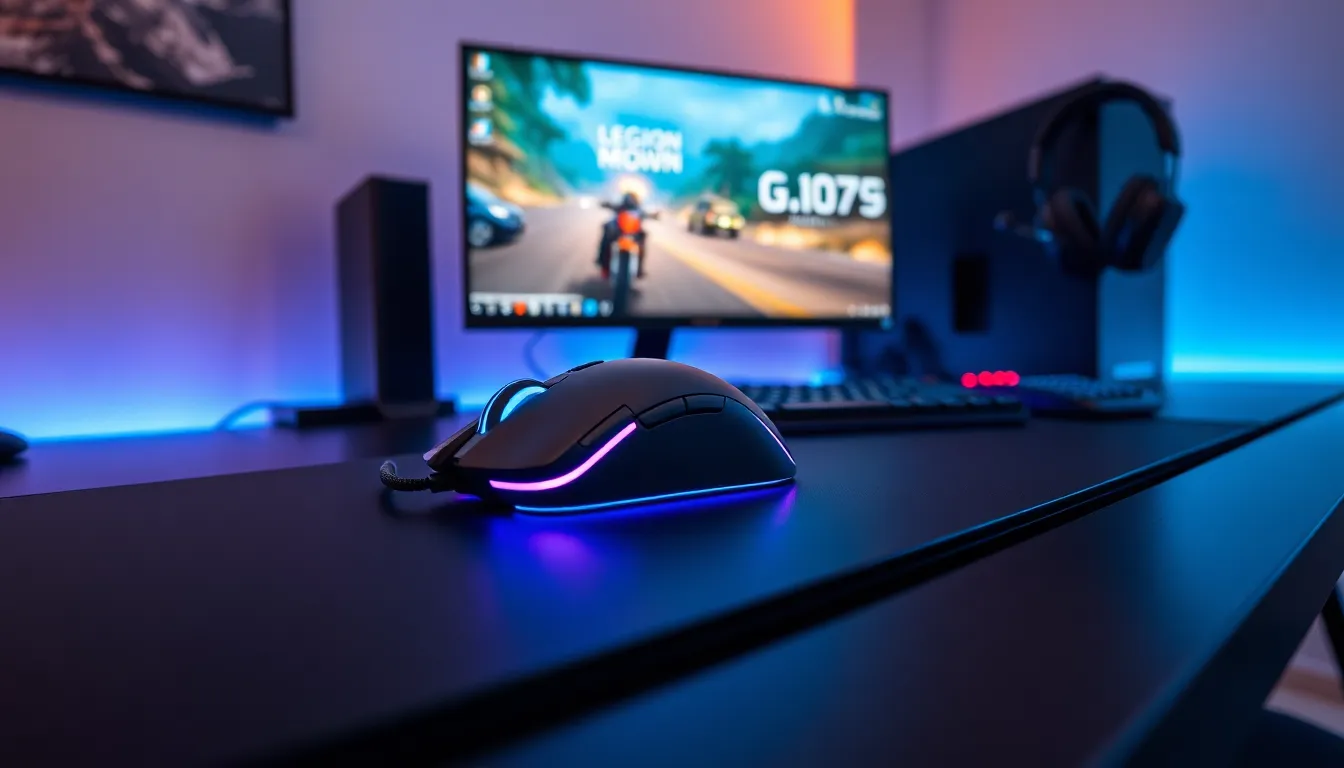
The Lenovo Legion Go Mouse is engineered specifically for gamers and productivity enthusiasts alike. This device promises an optimal balance of precision and comfort, designed to enhance user experience across various platforms. With its sleek aesthetics and robust build, it carries the legacy of Lenovo’s commitment to quality and performance. But beyond just looks, the Legion Go Mouse integrates cutting-edge technology to elevate gaming sessions and workspace efficiency.
Key Features and Specifications
Packed with features, the Legion Go Mouse doesn’t shy away from showing off its capabilities. Here are some key specifications:
- Sensor Type: High-precision optical sensor for tracking accuracy up to 16,000 DPI.
- Polling Rate: Adjustable polling rate up to 1000Hz for ultra-responsive gameplay.
- Weight: Lightweight design, ideal for quick movements.
- Programmable Buttons: Customizable buttons for personalized control.
- RGB Lighting: Customizable RGB lighting for aesthetic flair.
These features ensure that this mouse isn’t just a pretty face: it’s crafted for performance that gamers crave.
Design and Ergonomics
Design-wise, the Lenovo Legion Go Mouse stands out without being overly flashy. Its contours fit comfortably in hand, reducing strain during long gaming sessions and work hours. The materials used feel premium while maintaining durability. Whether someone prefers a palm or claw grip, this mouse accommodates all styles.
Also, the placement of buttons and scroll wheel is intuitive, allowing for easy access without fumbling around. Add in customizable RGB lighting, and users can express their style while enhancing the gaming ambiance. This attention to design detail ensures that functionality doesn’t take a backseat to aesthetics.
Performance in Gaming and Productivity
When it comes to performance, the Lenovo Legion Go Mouse truly shines. Gamers will appreciate the pinpoint precision provided by its optical sensor. Rapid movements and complex actions happen without lag, giving players an edge in competitive scenarios. The adjustable DPI settings mean that whether someone is sniping from a distance or engaging in fierce hack-and-slash, the mouse can adapt accordingly.
But gaming isn’t everything. In productivity settings, the adjustable buttons can be programmed for shortcuts and macros that enhance workflow. This dual-purpose feature makes the mouse an excellent choice for anyone who needs to transition smoothly between genres of work.
Battery Life and Connectivity Options
One of the most underrated aspects of any gaming mouse is battery life, and the Lenovo Legion Go Mouse does not disappoint. It offers extended use on a single charge, allowing users to stay focused on their games or tasks without constantly checking the battery level. With both wired and wireless connectivity options, players can choose their preferred setup. The wired option provides zero lag, while the wireless offers freedom of movement that many gamers crave.
Comparative Analysis with Other Gaming Mice
How does the Lenovo Legion Go Mouse stack up against its competitors? When compared to other gaming mice in its price range, it holds its own quite well. For instance, while some brands focus solely on gaming performance, Lenovo strikes a balance between gaming and office productivity. Competitors often lack customizable options or the extensive DPI range that the Legion Go Mouse provides. In this light, the Legion Go Mouse stands out as a versatile tool rather than just a gaming accessory.
User Reviews and Feedback
User feedback paints a positive picture of the Lenovo Legion Go Mouse. Many users rave about its comfort and performance during long gaming sessions, highlighting how it reduces wrist strain. The customizable buttons come in for particular praise, allowing gamers to streamline their controls flawlessly.
But, some users have mentioned that the mouse might feel slightly heavier compared to ultra-light models from other brands. That said, the added weight can actually enhance control for many players. Overall, the feedback showcases a well-received product that meets the needs of its target audience.

