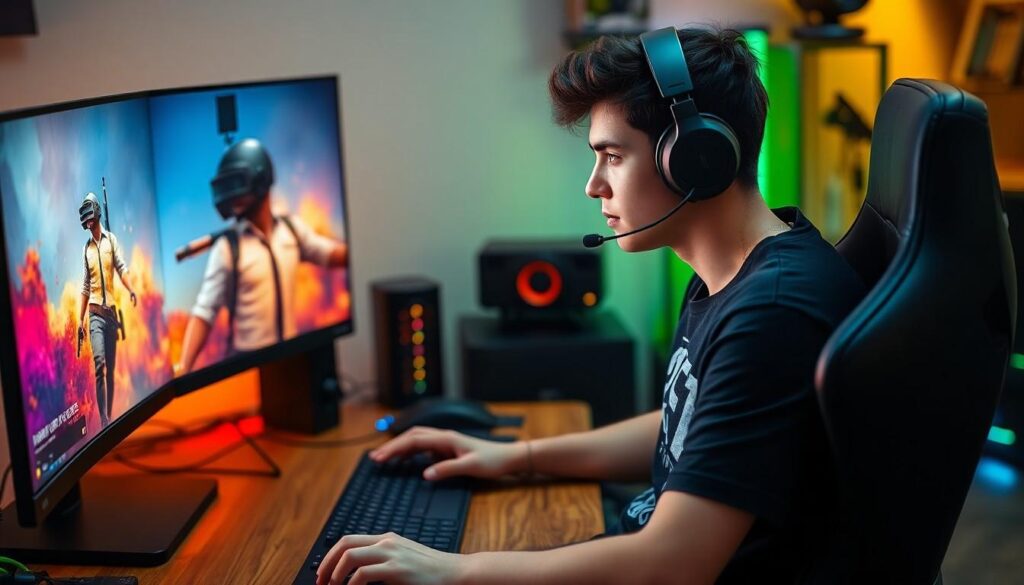
In the ever-evolving world of gaming, PUBG Mobile has taken the battlefield by storm. But what if there was a way to elevate that experience to new heights? Enter the PUBG Mobile emulator, your secret weapon for dominating the competition from the comfort of your desktop. Imagine trading your tiny touchscreen for a full-sized monitor and a snazzy keyboard. It’s like switching from a tricycle to a sports car—fasten your seatbelt!
With the right emulator, gamers can enjoy smoother graphics, enhanced controls, and the sweet satisfaction of outsmarting opponents with precision. It’s not just about playing; it’s about playing smart. So whether you’re a seasoned pro or a newbie looking to level up, the PUBG Mobile emulator could be your ticket to victory. Get ready to drop in and show the world what you’re made of—after all, who doesn’t want to be the last one standing?
Overview of PUBG Mobile Emulator
PUBG Mobile emulators serve as essential tools for gamers seeking superior performance. Players can access enhanced graphics and improved controls not available on mobile devices. This transition allows for better targeting and responsiveness during gameplay.
Popular emulators like Gameloop and BlueStacks provide various features. Gameloop, specifically optimized for PUBG Mobile, enables smooth gameplay, maintaining high frame rates. BlueStacks offers customizable controls that cater to individual player preferences.
Using an emulator also allows players to enjoy a larger screen experience. A desktop setup can significantly enhance visibility, giving players a competitive edge. As a result, gamers often perform better in intense situations, as they can react more efficiently to threats.
Many competitive players prefer emulators for this reason. Enhanced precision and faster targeting contribute to higher success rates in matches. Emulations allow for multitasking, with the ability to stream gameplay or communicate with friends while playing.
System requirements for running these emulators vary. Most require a Windows PC with a decent graphics card, sufficient RAM, and available storage space. Players should check the specifications of their system to ensure optimal performance.
Installing a PUBG Mobile emulator involves a simple process. Users need to download the emulator software, set it up, and log in using their existing PUBG Mobile accounts. Once configured, the emulator experience mimics the mobile version closely, allowing for seamless transitions.
Tracking the community’s response, many gamers express satisfaction with emulator use. They report improved accuracy and enhanced gaming experiences overall. Ultimately, emulators represent a forward step in mobile gaming, blending convenience and performance effectively.
Key Features of PUBG Mobile Emulator

PUBG Mobile emulators offer a variety of features that enhance the gameplay experience on desktop setups. Users benefit from improved graphics and functionalities that provide substantial advantages during matches.
System Requirements
Running a PUBG Mobile emulator requires specific system specifications. At a minimum, a Windows 7 or higher operating system is necessary. The CPU should be at least Intel Core i3 or equivalent, while a minimum of 4GB RAM is mandatory for smooth performance. A dedicated graphics card, such as NVIDIA GeForce GTX 660 or AMD Radeon HD 7870, ensures optimal visuals. Sticking to these requirements guarantees improved responsiveness and gameplay quality, making the experience more enjoyable.
Compatibility with Devices
PUBG Mobile emulators are designed to work seamlessly with various devices. Both Gameloop and BlueStacks support a wide range of hardware setups, catering to different gaming preferences. Users can install these emulators on laptops, desktops, or even gaming PCs. Enhanced compatibility allows gamers to use peripherals like keyboards and mice effectively, which greatly improves targeting and control. This adaptability makes emulators a popular choice among players who value flexibility and performance in competitive environments.
Performance Analysis
Emulators significantly enhance PUBG Mobile’s performance, providing an edge in graphics and control. Many players report notable improvements in visual quality and frame rates when playing on a desktop.
Graphics and Gameplay
Graphics in emulators like Gameloop and BlueStacks offer enhanced resolution compared to mobile devices. Players enjoy more vivid colors and smoother animations, resulting in immersive gameplay. With a larger screen, identifying enemies becomes easier, improving overall strategy. Details in the environment, such as textures and lighting effects, elevate the gaming experience, allowing for precise movements and reactions. Newcomers and seasoned players alike find that the superior graphics contribute to a more engaging experience.
Input Lag and Response Time
Input lag often decreases significantly with emulators, providing fast and fluid gameplay. Users benefit from immediate response to keyboard and mouse inputs, enhancing aiming precision. Many gamers experience lower latency, which is crucial during critical moments in the game. Responsiveness matters, especially in competitive matches where timing and accuracy dictate outcomes. Competitive players frequently highlight reduced input delay as a major advantage of using emulators, solidifying their preference for this gaming method.
Pros and Cons of Using PUBG Mobile Emulator
Using a PUBG Mobile emulator offers several advantages along with some disadvantages. Enhanced graphics significantly improve the gaming experience, allowing players to enjoy vivid visuals and smoother animations. Immersive gameplay becomes achievable on larger screens, which facilitate easier enemy identification and overall strategic planning.
Customization plays a key role in these emulators. Players can tailor controls to fit their preferences, which often leads to more effective play. Enhanced targeting capabilities and reduced input lag provide gamers with a competitive edge during intense matchups. Communities frequently commend the precision offered by keyboard and mouse controls, which translates to better aiming and faster reactions.
However, some challenges exist when using emulators. System specifications may become a limiting factor, as optimal performance requires adequate hardware, like Intel Core i3 processors and dedicated graphics cards. Players with lower-end machines might experience lag or decreased performance, affecting their overall experience.
Compatibility issues sometimes arise as well. Emulators can lead to account bans if players use modified software or cheat programs, hindering potential gaming privileges. Additionally, certain features of mobile versions might not fully translate to the emulator, causing frustration for players expecting a seamless transition.
Despite minor drawbacks, the majority find emulators enhance their gameplay significantly. Users report increased enjoyment and satisfaction from improved accuracy and immersion. Balancing the pros and cons can help players decide if a PUBG Mobile emulator suits their gaming style.
Conclusion
Using a PUBG Mobile emulator can significantly elevate the gaming experience. Players benefit from enhanced graphics and superior control options that a desktop setup provides. This transition not only improves performance but also boosts confidence in gameplay.
Emulators like Gameloop and BlueStacks cater to various preferences, making them accessible for both seasoned players and newcomers. While challenges like system requirements and potential compatibility issues exist, the advantages often outweigh the drawbacks.
Ultimately, the choice to use an emulator comes down to individual gaming preferences and hardware capabilities. For those seeking a competitive edge and immersive gameplay, a PUBG Mobile emulator can be a game-changer.

